Chapter 4 (English)
2. Disk structure
Disk Management in Operating System
Disk management is a critical function of the operating system (OS) that deals with organizing, optimizing, and securing data on secondary storage devices such as hard disk drives (HDDs) and solid-state drives (SSDs).
It ensures:
- Efficient use of storage space
- Safe and reliable read/write operations
- Faster access times
OS Management Functions
Modern operating systems implement four major management functions, and disk management is one of them:
- Process Management: handles process execution.
- Memory Management: manages main memory allocation.
- File & Disk Management: organizes data on secondary storage.
- I/O System Management: manages device communication.
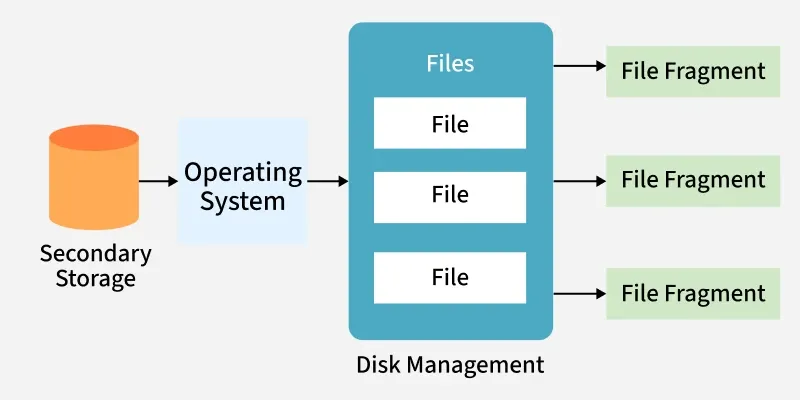
Why Disk Management is Important
Most computer systems use secondary storage devices (like hard disks, SSDs, tapes, optical media, and flash drives) to store programs and data at low cost and with non-volatile storage. Data is stored in the form of files.
The operating system (OS) manages file storage by allocating disk space as needed. Files are not always stored in one continuous block, large files may be fragmented into parts stored in different disk locations, especially when space is limited.
The OS keeps track of where each file (and its fragments) is located, often handling thousands of such entries. It ensures:
- Files can be quickly located for read/write operations
- Safe and reliable access to stored data
- Efficient management of access times
Key Operations in Disk Management
Disk Formatting
- Low-level (physical) formatting: Divides the disk into sectors with headers, data, and error correction codes (ECC).
- Logical formatting: Creates a file system, defining free space and allocated space.
- Blocks are grouped into clusters for efficient I/O.
- Some systems allow raw I/O (direct access to disk blocks without a file system).
2. Booting from Disk
- The bootstrap program loads the OS kernel into memory when the computer is powered on.
- A small bootstrap loader resides in ROM.
- The full bootstrap code is stored in the boot block of the disk.
- A disk with a boot partition is called a boot disk (system disk).
3. Bad Block Management
Disks often have bad sectors due to manufacturing defects or usage.
Handled using:
- Sector sparing (replacement): faulty sectors are replaced with spare ones.
- Error recovery: for soft errors.
- Manual intervention: required for hard errors.
Severe disk failures may require replacing the disk and restoring from backup.
Some common disk management techniques used in operating systems include:
- Partitioning: Divides a physical disk into multiple logical partitions, each acting as a separate storage device for better organization.
- Formatting: Prepares a disk by creating a file system; erases all existing data.
- File System Management: Manages file systems (e.g., FAT, NTFS, ext4) to store and access data efficiently.
- Disk Space Allocation: Allocates space for files using methods like contiguous, linked, or indexed allocation.
- Disk Defragmentation: Rearranges scattered data blocks to improve performance.