Chapter 4 (English)
1. Mass Storage Structure
Mass Storage Structure – Overview in OS
Mass storage refers to non-volatile storage devices used by an operating system to store data permanently. This includes hard disk drives (HDDs), solid-state drives (SSDs), optical disks, and other large-capacity storage media. The OS manages these devices to provide efficient, reliable access to data. The mass storage structure in OS can be understood in layers:
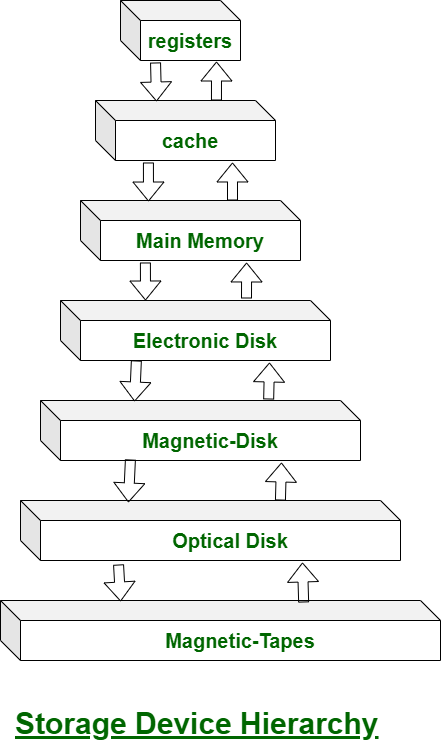
1. Physical Storage Layer
- Definition: The actual hardware where data is stored.
- Examples: HDD platters, SSD flash cells, magnetic tapes.
- Characteristics:
- Data is organized in blocks or sectors.
- Access times vary depending on device type.
- Storage is divided into tracks and sectors in HDDs.
2. Logical Storage Layer
- Definition: How the OS abstracts physical storage into logical units for easier management.
- Components:
- Blocks or Sectors: Smallest unit of data transfer (usually 512 bytes or 4 KB).
- Logical Block Addressing (LBA): The OS refers to storage locations using logical addresses instead of physical locations.
- Partitions: Dividing the storage device into independent logical areas, each possibly containing a file system.
3. File System Layer
- Definition: A structured way to store, retrieve, and organize files on mass storage.
- Key Functions:
- Mapping file names to data blocks.
- Managing free space and allocation.
- Maintaining metadata like file size, creation date, permissions.
- Common File Systems:
- Windows: NTFS, FAT32
- Linux: ext4, XFS
- macOS: APFS
4. Access Methods
- Definition: How the OS allows programs to read/write data.
- Types:
- Sequential Access: Data is read/written in order (e.g., tape storage).
- Direct Access (Random Access): Data can be read/written at any location (e.g., HDD, SSD).
5. Storage Management by OS
- Disk Scheduling: Optimizes read/write operations for speed (e.g., FCFS, SSTF, SCAN algorithms).
- Buffering: Temporary storage of data to balance speed differences between CPU and disk.
- Caching: Keeps frequently accessed data in faster memory (RAM).
- RAID Management: Some OSs handle Redundant Array of Independent Disks for fault tolerance and performance.