Chapter :- 1 (English)
6. Services and Systems calls
Operating System Services
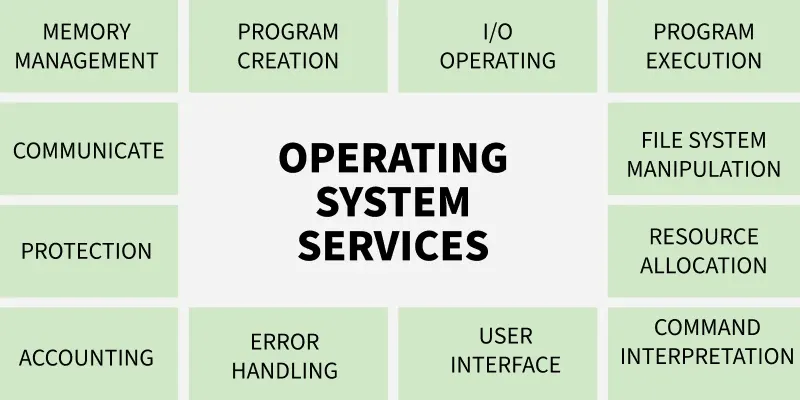
An operating system is software that acts as an intermediary between the user and computer hardware. It is a program with the help of which we are able to run various applications. It is the one program that is running all the time. Every computer must have an operating system to smoothly execute other programs.
- The OS coordinates the use of hardware and application programs for users.
- It provides a platform for running application software.
- It is a set of special programs that help the computer function properly.
- It controls input–output devices and system operations.
- It manages program execution and file handling.
1. Program Execution
The Operating System manages program execution by loading programs into memory and scheduling them using algorithms like FCFS, SJF. It ensures smooth execution of user and system programs while preventing deadlocks where processes wait indefinitely. The OS also allocates system resources efficiently for proper functioning.
- Loads programs into memory for execution.
- Uses CPU scheduling algorithms (FCFS, SJF, etc.) to decide execution order.
- Handles and prevents deadlocks during execution.
- Manages system resources for efficient overall functioning.
2. Input Output Operations
The Operating System manages all input-output operations and enables communication between users, programs, and device drivers. Device Device drivers act as the software interface for hardware, allowing the OS to control devices smoothly. The OS also provides programs with safe and timely access to input-output devices whenever required.
- Manages all input-output operations.
- Communicates with hardware through device drivers.
- Ensures proper coordination between devices and the system.
- Provides programs controlled access to input-output devices.
3. Communication Between Processes
The Operating System manages communication between processes and enables smooth data transfer among them. It handles both local communication on the same computer and communication across networked systems. This ensures efficient and coordinated exchange of information.
- Manages inter-process communication (IPC).
- Enables data transfer between processes.
- Supports communication across networked computers.
- Ensures secure and efficient information exchange.
4. File Management
The Operating System manages all file operations by granting programs the required access permissions such as read-only or read-write. It allows users to create, delete, store, and organize files across devices like, floppy disk or pen drives. The OS also decides how data should be stored and manipulated for efficient file management.
- Grants programs file access with permissions like read-only or read-write.
- Allows users to create, delete, and organize files.
- Manages file storage across devices such as hard disks and pen drives.
- Decides how data is stored and manipulated for efficient file management.
5. Memory Management
The OS manages memory like a cricket team manager choosing players. Just as the manager decides whether a player enters the playing 11 or 15 based on performance, the OS checks whether a new program meets the requirements for memory. If it does, the OS decides how much memory the program needs and loads it into an appropriate location, preventing unnecessary memory usage.
- OS checks whether a new program meets the requirements to get memory.
- It decides how much memory the program needs.
- Loads the program into a suitable memory location.
- Prevents programs from using unnecessary or extra memory.
6. Process Management
Process management can be understood by imagining the kitchen stove as the CPU and the chef as the Operating System. The chef must cook multiple dishes (programs) and ensures no single dish takes too much time so that every dish gets a fair chance to be cooked. In this way, the OS schedules and manages all programs efficiently to keep the system running smoothly.
- CPU is like the kitchen stove where execution happens.
- OS (chef) ensures each program gets fair execution time.
- Prevents any program from occupying the CPU for too long.
- Schedules all programs efficiently to keep the system running smoothly.
7. Security and Privacy
Security
The Operating System keeps the computer safe from unauthorized users by adding protective security layers. It defends the system from threats like viruses and hackers through tools such as firewalls and antivirus software. These measures ensure the safety of the computer and its data.
- Blocks unauthorized access to the system.
- Protects against viruses and malware.
- Uses firewalls and antivirus tools for defense.
- Ensures overall system and data safety.
Privacy
The Operating System helps keep personal information private, similar to locking a door that only you can open. It ensures that sensitive files and data remain hidden from others. In this way, the OS respects user confidentiality and protects important information.
- Keeps personal data hidden from others.
- Provides access control options like passwords.
- Ensures only authorized users can view files.
- Protects sensitive information from misuse.
8. Resource Management
The Operating System manages how system resources are shared among different processes. It allocates CPU time using CPU Scheduling Algorithms, handles memory management, and controls input-output devices. By deciding which process gets which resource, the OS ensures proper and efficient use of all available resources.
- Shares system resources among multiple processes.
- Allocates CPU time using scheduling algorithms.
- Manages memory and input-output devices.
- Ensures efficient and proper use of all resources.
9. User Interface
The Operating System provides a user interface that allows users to interact with the system either through a command-line interface(CLI) or a Graphical User Interface (GUI). In a CLI, the command interpreter executes user-typed commands. A GUI offers a mouse-based window and menu system that makes interaction easier and more visual.
- Provides both CLI and GUI for user interaction.
- CLI uses a command interpreter to run user commands.
- GUI offers windows, icons, and menus for easy use.
- Helps users communicate smoothly with the operating system.
10. Networking
This service enables communication between devices on a network by managing connections and controlling data exchange. It allows devices to connect to the internet, send and receive data packets, and maintain stable communication. Through proper network management, the system ensures smooth and reliable data transfer.
- Manages network connections between devices.
- Supports internet access and communication.
- Sends and receives data packets reliably.
- Ensures smooth and stable network operations.
11. Error Handling
The Operating System detects and handles errors occurring in the CPU, memory, or input-output devices to keep the system stable. It prevents frequent errors, avoids deadlocks, and fixes issues that appear during program execution. A secure OS also acts as a protective layer against external threats or breaches.
- Detects and handles CPU, memory, and I/O errors.
- Prevents frequent errors and avoids deadlocks.
- Fixes issues that occur during task execution.
- Provides security measures against external threats and breaches.
12. Time Management
Imagine a traffic light as the Operating System, guiding cars (programs) on when to stop, wait, or move. Red represents the simple queue, yellow is the ready queue, and green means the program is under execution. By switching lights at proper intervals, the OS ensures all programs move smoothly without traffic or delays.
- Red light = programs waiting in the simple queue.
- Yellow light = programs in the ready queue.
- Green light = programs under execution.
- OS changes states at proper intervals to ensure smooth program flow.